How to get crystal clear TikToks even at night?
Night shoots in Nigeria can be tough on a phone camera. Low-light challenges make details soft, shadows blotchy, and exposure jump. This often results in grainy TikTok videos that don't match what you saw on set.

If you've ever seen a clip look sharp in your camera roll but fall apart after posting, you're not alone. Many people complain about clear videos on social media. They say, “Me, wondering how all of you get clear videos on your social media… every time I go to post it ruins the quality and looks terrible…”
This guide will help you with high-quality TikTok lighting, steadier framing, and low-light filming tips. We'll also cover small upload habits to protect detail. This way, your work won't lose its edge online.
At the center of it all is a simple upgrade: a portable magnetic ring light. It's for high-quality TikTok lighting and hands-free shooting. For creators in Nigeria, better light is the fastest way to cut noise and get cleaner skin tones without heavy filters.
Why TikTok videos look worse at night: low-light challenges that create grainy TikTok videos
Night shoots can be tough. You set up the shot, press record, and get dull colors and shadows. These issues are common in Nigeria's busy streets, house parties, and dim rooms.

Getting clear night videos starts before you even open the app. If your clip is soft or shaky, TikTok has less to work with. Even the best mobile gear can struggle with too little light.
What low light does to your phone camera sensor and why noise shows up as “grain”
In low light, your phone boosts brightness to see better. This boost also makes random specks in the image more visible. These specks are what people call grain.
When it's dark, your phone's sensor may slow the shutter. Any slight movement becomes blur. This makes your TikTok videos grainy, worse in shadows than they looked in real life.
How TikTok compression can make already-soft footage look even lower quality after posting
After uploading, TikTok compresses your video for smooth playback. This compression can blur textures, flatten details, and add blocky artifacts in dark areas. If your clip is already noisy, it may look even worse after processing.
Reliable technology alone can't ensure a clean post. TikTok prefers sharp edges and stable frames. Low-light footage rarely has both without more light and steadier capture.
Common creator complaint: videos look clear in camera roll, then “ruin in quality” on social media
Many creators say, “It looks clear in my camera roll, then it ruins the quality when I post.” This difference is because your phone plays back the original file, while the platform streams a compressed version. Dark scenes lose detail first, making faces and backgrounds muddy.
- More light helps the camera record cleaner detail, which reduces noise before upload.
- More stability keeps frames sharp, so compression has less blur to exaggerate.
- Smarter mobile content creation gear can make these fixes easier to repeat, even on the move.
Portable magnetic ring light, High-quality TikTok lighting, Hands-free shooting
When your clips look great on your phone but not on TikTok, the problem often starts before you export. Better footage stands up to TikTok's compression, which is key in Nigeria's mixed lighting. This is because your phone can get confused by different light sources.
Lighting for creators is about control, not just brightness. It's about stable light, smooth shadows, and clear faces that stay sharp after upload.

Good TikTok lighting means your face is lit evenly. You'll see fewer harsh shadows and less noise in dark areas. Your skin will look natural, even in dim backgrounds.
This cleaner light signal helps your phone avoid smoothing and flicker. It also makes your video look less "muddy" after processing.
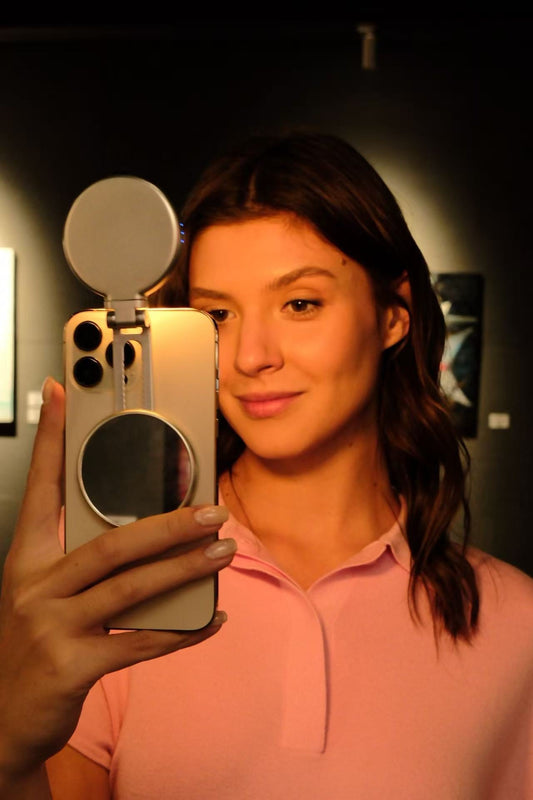
A portable magnetic ring light makes mobile shooting easy because it's quick to set up. Moving from indoors to outdoors or an event hall is faster. This is because magnetic mounting saves time on rebalancing stands and clamps.
It also helps you place the light the same way every time. This is important for getting consistent results in different locations.
Shooting without holding your phone improves your video quality right away. Handshake causes blur and autofocus problems in low light.
With steady framing and consistent distance, your footage looks better. Your face stays in focus, and your lighting is more predictable.
- Even light reduces grain and keeps detail intact.
- Stable mounting cuts blur and makes clips easier to edit.
- Repeatable setup helps your look stay consistent across shoots.
Pick lighting that matches your vibe: adjustable color temperature from cool white to warm tones
At night, the wrong light can ruin your phone video. Adjustable color temperature lets you blend light with your scene. This way, faces stay natural, and details stay sharp, avoiding harsh casts on skin texture.
How 7500k-2700k helps you match indoor bulbs, street lighting, or club/event lighting in Nigeria
A wide range like 7500k-2700k helps you adjust to Nigeria's varied lighting. Indoor spaces often have warm bulbs, while streets and events have cool, changing lights. A flexible setting keeps your subject looking natural in any setting.
- Warm indoor bulbs: move toward the lower end so your light matches the room instead of turning walls blue.
- Street lighting: adjust until your whites look neutral and shadows don’t go muddy.
- Club or event lighting: stay adaptable and correct in small steps when the ambient color flips.
When to use cool white vs warm tones for skin texture and natural-looking Lagos lifestyle photography
Choosing between cool white and warm tones affects detail. Cool white can make edges pop but might sharpen skin texture too much. Warm tones soften the look, fitting well with Lagos's lifestyle photography for a natural feel.
For close-up shots, try switching between cool and warm tones. Choose the one that keeps your skin even while preserving detail in hair and brows.
Balancing brightness and color so your subject stays clear without blowing out highlights
Color and brightness should be balanced. Too much light can ruin highlights, making skin look flat. Too little light adds noise and soft focus.
- Set brightness so your face looks bright but not shiny, then fine-tune the adjustable color temperature to match the room.
- Check your screen for blown spots on cheeks and nose; if they look glossy white, dim slightly and reassess.
- Keep the background believable by nudging within the 7500k-2700k range until whites look natural.
Stability matters in clear night videos: reduce blur, shake, and focus hunting
In the dark, your phone slows the shutter to get more light. This makes small hand movements look like smudges, even if you feel steady. To get clear night videos, think of stability as part of your lighting plan, not just an extra step.
Another issue is focus hunting. In dim areas like Lagos nightlife or indoor rooms, the camera may struggle to focus. This can make your video look low quality, hiding the good lighting you worked on.
Here are some tips to reduce blur and keep focus sharp:
- Use handsfree shooting with a tripod, clamp, or magnetic mount to keep the frame steady.
- Hold your elbows against your body and breathe out before recording for steadier handheld shots.
- Avoid long walks at night; take short steps, pause, then record.
- Use one consistent light source on the subject for clear contrast and to stop the camera from searching.
Shaky footage and shifting focus can also lead to poor quality after posting. Good mobile content creation gear and steady framing help your video look better after it's uploaded.
Camera settings that help in the dark: low-light filming tips for sharper TikToks
Night scenes in Lagos can be rich and cinematic. But, your phone needs some tweaks to capture them well. These tips help keep faces sharp and avoid the "muddy" look that turns videos grainy on TikTok.
The aim is to shoot sharper videos. This way, TikTok's compression won't ruin the clarity. Your night videos will stay crisp, not soft like they can be after posting.
How to lock focus and exposure so your lighting stays consistent while you move
Streetlights can change the brightness in your shot. Lock focus and exposure before you start. This keeps your skin tone and highlights steady.
- Tap and hold on your face to lock focus, then adjust exposure slightly down if signs or headlights are blowing out.
- Keep your main light close to your face, so the camera doesn’t chase the background.
- If your camera app offers it, choose a fixed frame rate like 30 fps for steadier results.
Why cleaning the lens and avoiding digital zoom can instantly improve clarity
A smudged lens makes bright points hazy, softening your footage. A quick wipe with a microfiber cloth is a simple upgrade. It's as easy as using premium smartphone accessories Nigeria creators use.
Also, avoid digital zoom at night. It crops the image, increases noise, and makes compression artifacts more noticeable, even on reliable phones.
When to use your phone’s Night Mode for video (and when not to)
Night Mode is great for very dark spots, like quiet streets or low-lit lounges. It brightens shadows. But, it might add motion blur or a "watery" look if you or your subject moves fast.
Test Night Mode where you plan to shoot. Use it for slow, steady clips on a tripod. Turn it off for dancing, walking shots, or quick transitions. This choice can make a big difference in your video's quality, keeping it clear on TikTok.
Lighting placement for creators: angles that flatter, protect detail, and keep your background clean
Lighting placement is key for clean footage. A straight-on setup reduces harsh shadows, keeping facial detail and natural skin texture clear. Pushing the light too far to the side can create nice shadows but may turn into noise in clear night videos.
For high-quality TikTok lighting, place the light slightly above eye level and aim it down at a gentle angle. This flatters and softens under-eye darkness. Keep the light close to lower ISO noise but not so close that your forehead or cheeks lose detail.
- Start centered for even exposure, then shift a few inches left or right to add depth without heavy shadow.
- Stay just above the lens when you want smoother skin texture and fewer chin shadows.
- Watch the distance so your face is bright, but highlights look natural after posting.
Background control is important in night scenes, like in Lagos lifestyle photography. Light your face first, then move your body away from bright points to avoid flare. If the background is busy, change your angle until the brightest bulbs are outside the frame.
This also reduces the common frustration where clips look sharp in your camera roll but soften after upload. Clean lighting and a calmer background help keep your TikTok lighting clear and your night videos sharp once posted.
Buzzco Halo™ series spotlight: curated tech essentials built for modern lifestyles in Nigeria
In Nigeria, creators often shoot in low light or busy streets. Buzzco makes tech essentials for these moments. Their tools are simple yet effective.
The Buzzco Halo™ series is perfect for today's lifestyle. Your phone is your camera, studio, and editor.
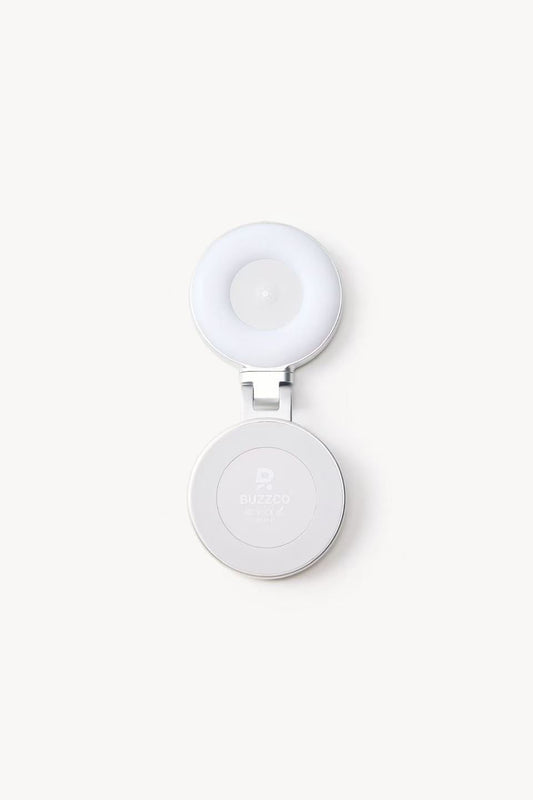
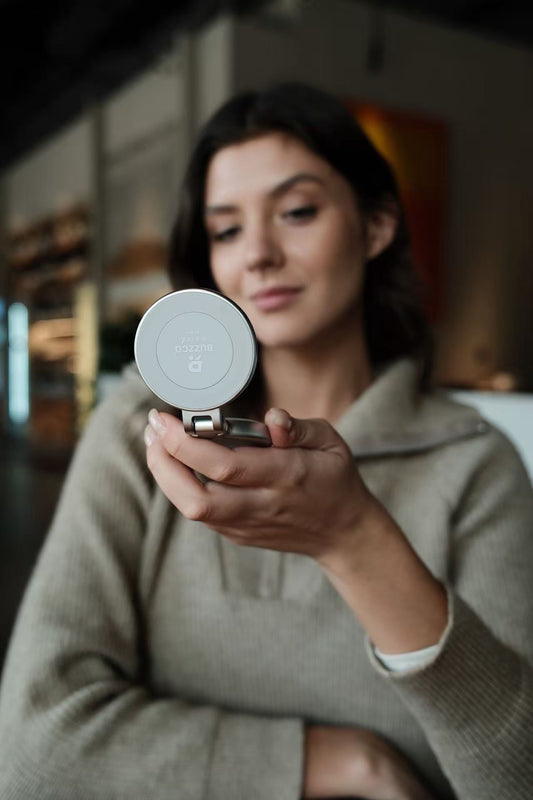
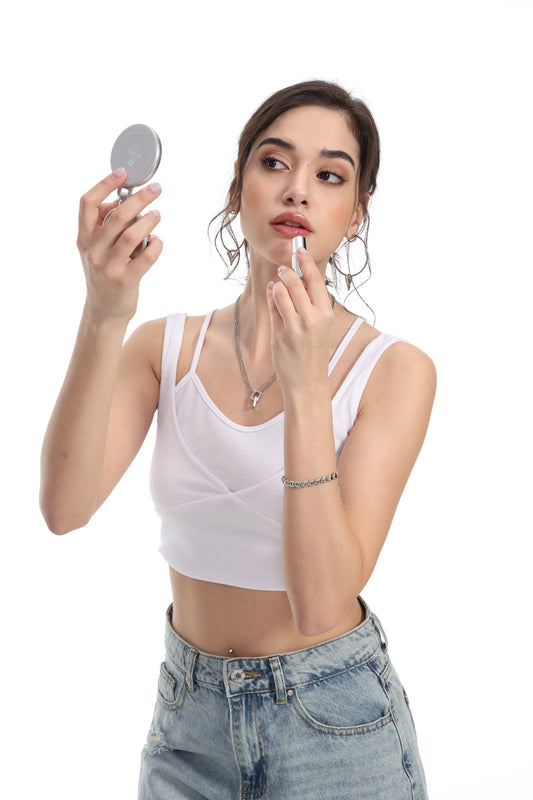
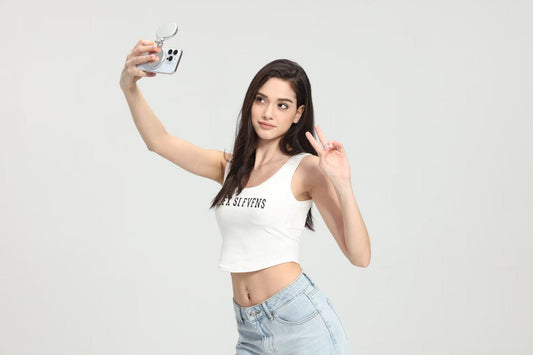
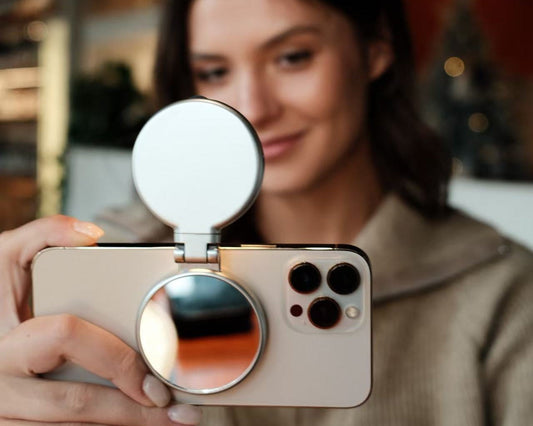
Better lighting can make your clips clearer. A clean base exposure means less noise after TikTok compression. The Buzzco Halo™ Magnetic Selfie Ring Light provides a steady glow for sharp footage.
Buzzco’s approach: intentional design, reliable technology, and beautifully simple tools that help you stay confident.
Buzzco focuses on simple, reliable tech. They aim for quick setup and smooth workflow. This lets you focus on your shot without distractions.
Buzzco Halo™ Magnetic Selfie Ring Light features to highlight: powerful magnetic base, compatible metal surfaces, and
The Buzzco Halo™ Magnetic Selfie Ring Light has a strong magnetic base. It sticks to metal surfaces for hands-free use. This makes framing easier, even when moving.
Build quality and design integrity: highstrength zinc alloy, durable zinc alloy light, metal finish, and durability
Daily use demands quality and brightness. The body is made of highstrength zinc alloy. It's durable and has a clean metal finish.
Convenience for daily creation: USB TypeC charging and portable setup for mobile content creation gear
USB TypeC charging is easy for device switching. The setup is portable, fitting into your mobile gear without bulk. This makes the Buzzco Halo™ series ready for quick shoots.
Posting without losing quality: export settings and upload habits that protect high-quality TikTok lighting results
It's true: a video can look great on your phone but blurry on TikTok. TikTok has to shrink and adjust videos, which can make them look worse. To keep your videos sharp, upload the best quality file you have.
Keep your editing simple. Too many filters or exports can make TikTok re-compress your video. For the best results, export your video in the highest quality and then upload it. This helps keep your videos clear, even in dark scenes.
How you upload matters too. Make sure to upload in high quality on TikTok. Also, avoid uploading when your internet is slow. This helps prevent TikTok from making your video look worse.
Think of it as a two-step process: capture great footage and then upload it carefully. Using good lighting and a stable camera helps. This way, your videos will stay clear and detailed from start to finish.
FAQ
Why do my TikTok videos look clear in my camera roll but look worse after I post?
Low-light clips often hide noise and soft detail. Your phone display can hide these issues. But after posting, TikTok's compression makes these problems worse, making your video look grainy.
What causes grainy TikTok videos at night in Nigeria?
In low light, phones boost exposure to see better. This adds noise, making shadows and dark areas look worse. This is why night videos in Lagos can quickly lose their clear quality.
What does “high-quality TikTok lighting” mean in real creator terms?
It means even light on your face, fewer harsh shadows, and less noise. Good lighting also helps your phone focus faster and keeps exposure steady when you move.
How does a portable magnetic ring light help with clear night videos?
A portable magnetic ring light adds controlled light where your phone needs it most. This reduces noise before TikTok compression hits. It also makes setup faster when moving between different scenes.
Why is hands-free shooting so important for filming at night?
In low light, phones use slower shutter behavior. Even small hand movement can cause blur. Hands-free shooting keeps framing stable, lowers motion blur, and maintains consistent exposure.
How do I stop focus hunting and pulsing in dark scenes?
Give your camera a clear subject edge with better light. Then lock focus and exposure to prevent hunting. Avoid busy, dark backgrounds with random bright points to distract autofocus.
Why does adjustable color temperature matter for night creators?
Adjustable color temperature helps match the light to the scene. This makes skin tones look natural and the image cleaner. When color is off, phones can overcorrect, making faces look unnatural.
How does 7500k–2700k help with Nigeria lighting situations?
The 7500k–2700k range lets you shift from cool white to warm tones. This matches real environments, reducing odd color casts and preserving detail in low-light footage.
Should I use cool white or warm tones for TikTok at night?
Cool white often looks sharper, while warm tones blend better with indoor and nightlife settings. Choose the one that matches your background lighting and keeps skin looking accurate.
Can a ring light be too bright and make my videos look worse?
Yes. Too much brightness can blow highlights, erasing detail. Too little light raises noise. Balance brightness and color temperature to keep your face clear and textured.
Where should I place my light for the sharpest night video?
Place the light slightly above eye level and close enough to reduce noise. Straight-on light reduces harsh shadows and helps cameras resolve facial detail; angled light can add mood but may deepen shadows.
What are quick low-light filming tips that improve clarity immediately?
Clean your lens to remove haze, avoid digital zoom, and stabilize your phone. If possible, lock focus/exposure to prevent brightness pumping when background lights enter the frame.
Should I use Night Mode for video on TikTok?
It depends on your phone model and how much movement is in the scene. Night Mode can brighten very dark shots, but it may introduce motion artifacts or inconsistent texture when subjects move. Test it in your exact environment and choose the setting that keeps motion looking natural.
How can I protect quality when posting so TikTok doesn’t “ruin” my video?
Start with cleaner footage—good lighting and stability reduce noise and softness before compression. Then keep edits minimal if they trigger extra re-compression, export consistently, and avoid steps that degrade the file before TikTok processes it.
What makes the Buzzco Halo™ Magnetic Selfie Ring Light different for Nigeria creators?
The Buzzco Halo™ Magnetic Selfie Ring Light is built around intentional design and reliable everyday use. It supports fast setup with a powerful magnetic base, works on compatible metal surfaces for flexible placement, and aligns with mobile content creation gear needs for modern lifestyles.
Is the Buzzco Halo™ series built for durability and frequent use?
Yes. The Buzzco Halo™ series emphasizes build quality and design integrity, using high-strength zinc alloy with a metal finish for a durable feel. This durability matters when your lighting for creators gets packed, moved, and used often.
How does USB TypeC charging help creators filming on the move?
USB TypeC charging makes it easier to power your light with common cables and power banks, which supports quick resets between shoots. For Nigeria-based creators, this reliability reduces downtime and keeps your setup ready for clear night videos.
Can a magnetic base really improve my workflow for mobile content creation?
Yes. A powerful magnetic base can simplify setup in tight spaces and reduce time spent adjusting gear. For hands-free shooting, it helps keep your phone stable and your light consistent—two factors that directly improve clarity before upload.
How do curated tech essentials fit into creator life in Nigeria?
Curated tech essentials reduce friction. When your tools are simple, portable, and reliable, you spend less time fighting low-light challenges and more time creating content that holds up after compression—so you can stay confident.